Skip to main content
Vortex Files hero logo

Deliver your work in a client portal that feels like your brand.

Your clients open one project page for the files and messages you share.

Try Free
Bring files from your cloud storage
Dropbox
Google Drive

Client portals

Give every client one place for their files.

Share a project link where clients can find their files and talk to you about the work.

  • Keep deliveries organised. Arrange files in folders so clients can find what they need.
  • Preview before downloading. Clients can open images, videos and PDFs directly in the portal.
  • Keep the conversation together. Discuss the project alongside the files you share.
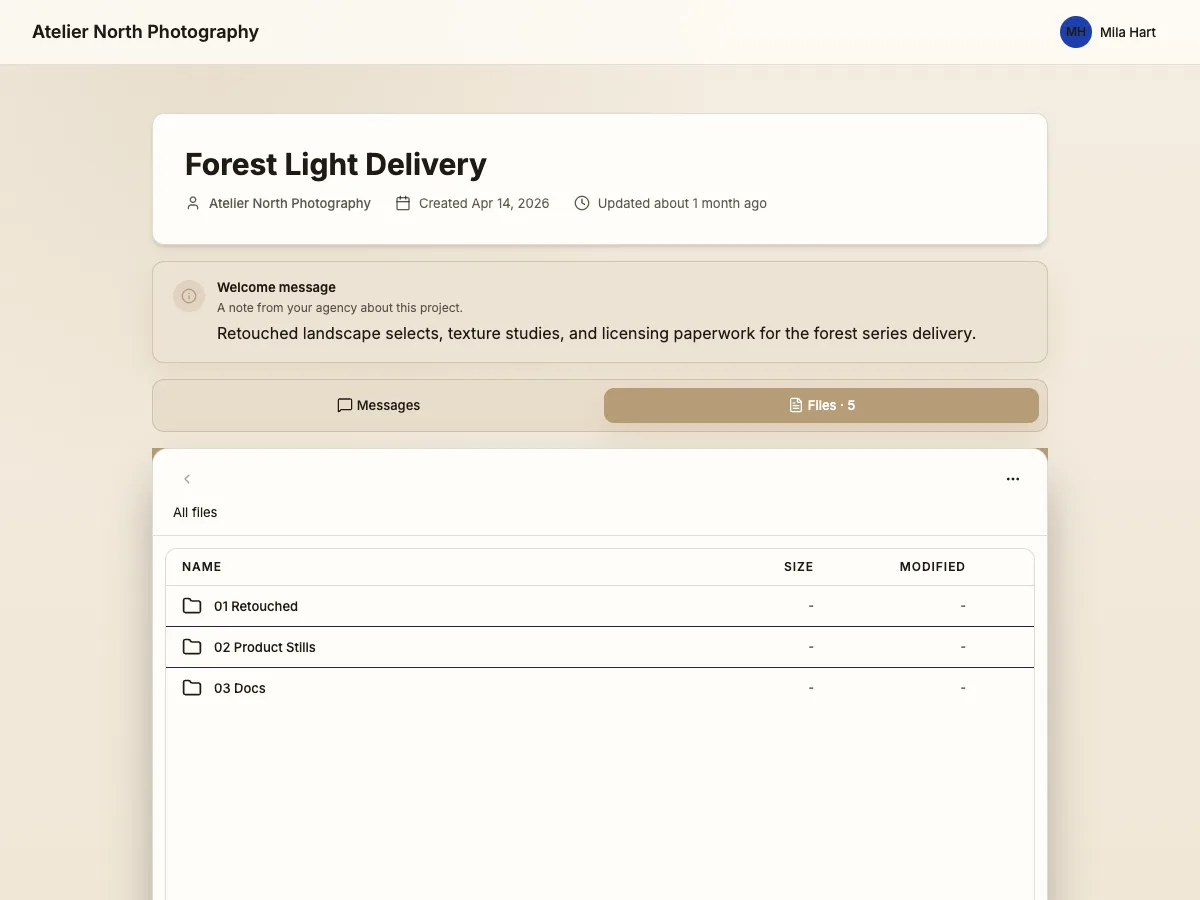
Atelier North client portal with a welcome message, project folders and a Messages tab

Branding

Put your brand on the handover.

Make the portal look like the business your client chose.

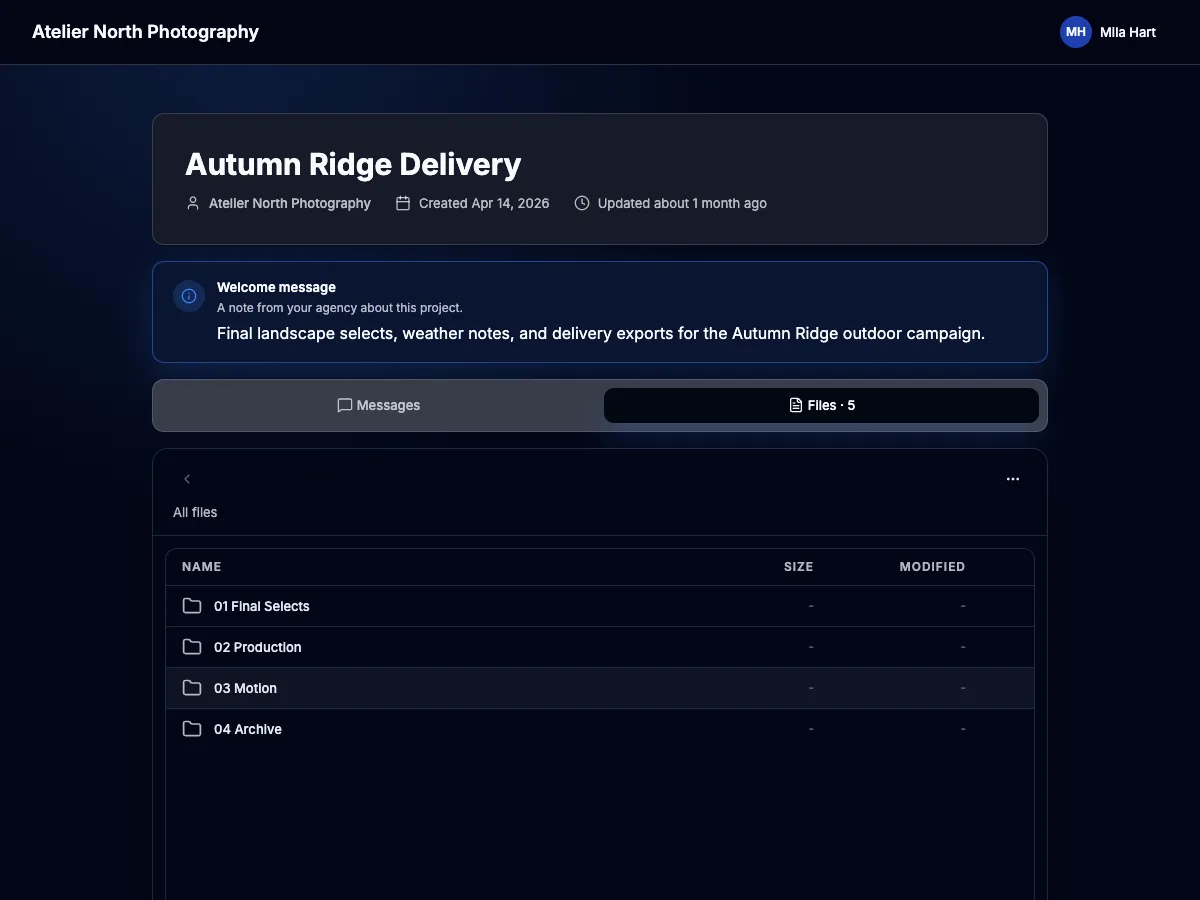
  • Make it recognisable. Add your logo and business name to the portal.
  • Match your look. Choose the portal's colours and type.
  • Welcome each client. Add a project cover and a personal message.
Atelier North Photography client portal with a dark colour scheme and personalised welcome message

Analytics

See which files your clients download.

Check project visits and download activity before you follow up.

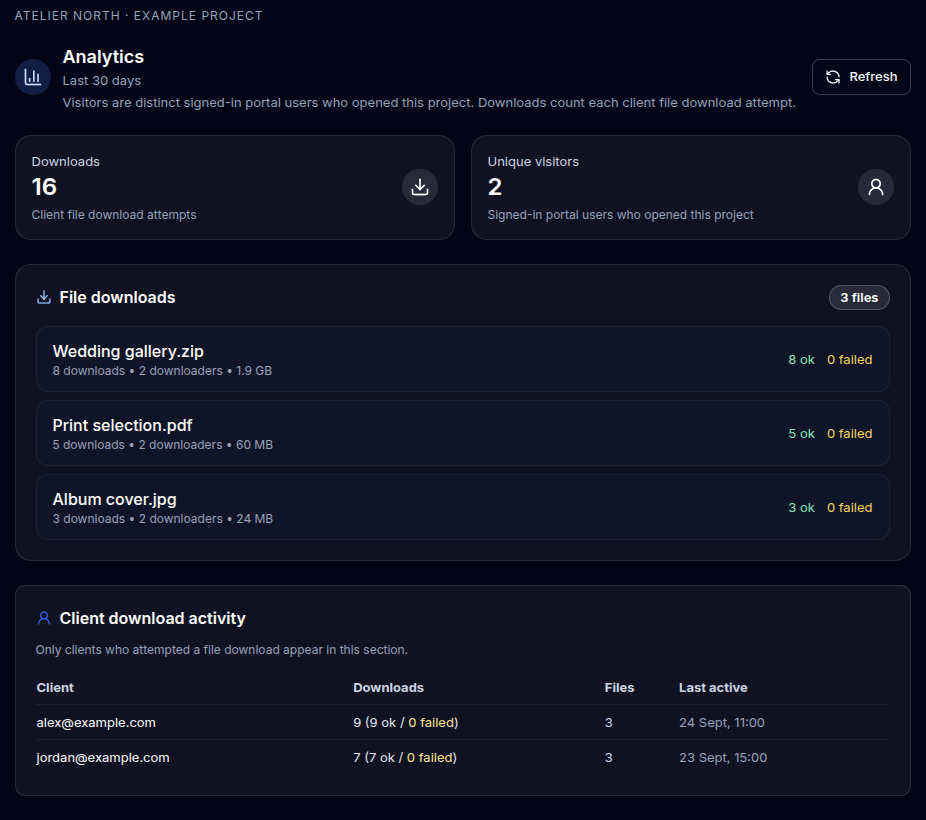
  • See project visits. Check how many signed-in clients have opened the project.
  • Track file downloads. See download attempts by file, including successes and failures.
  • See activity by client. On Teams and Studio, see download activity for each client.
Example project analytics with 16 download attempts, two visitors, three files and activity for each client
Project analytics with example data.

Embedding · Studio

Keep your client portal on your Wix site.

Give clients a place to collect their work without sending them to a separate portal page.

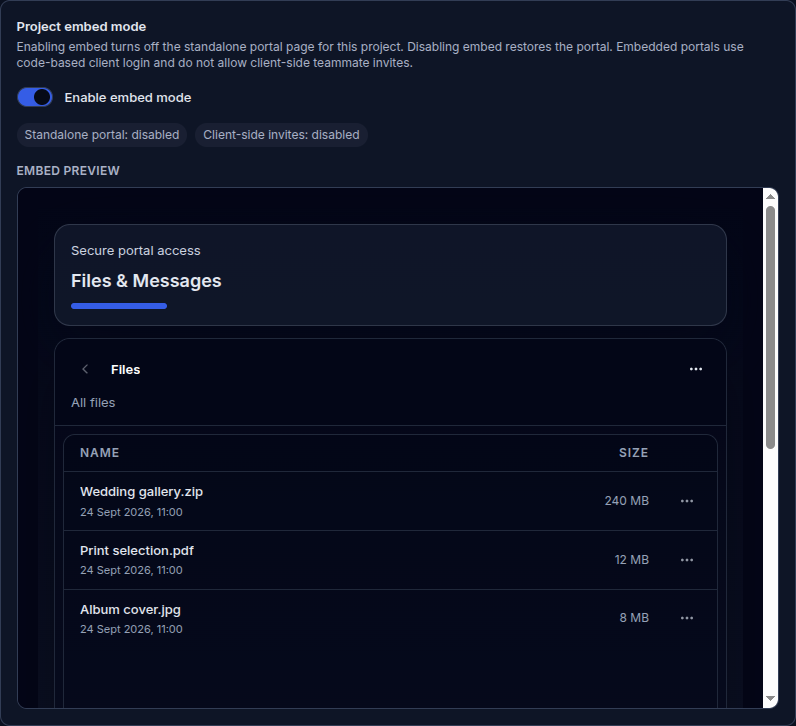
  • Preview before you publish. See the portal in your project settings before adding it to your site.
  • Add it to your site. Copy the embed code into your Wix page and approve the site's domain.
  • Keep access private. Clients use a verification code to open their files.
Embed mode enabled with the working portal preview showing three example files
The embed preview in project settings, with example files.

Set up your next client portal.

Try Free
    Vortex Files | Client portals for project delivery